Synora Desktop
No GPU needed: the AI models run on your own computer’s processor.
- Your data never leaves your network
- Works without the internet
- Models on your computer or your server
Dashboard
Live and today’s calls, the share handed to operators, caller sentiment and response latency at a glance — charted by hour and by day.
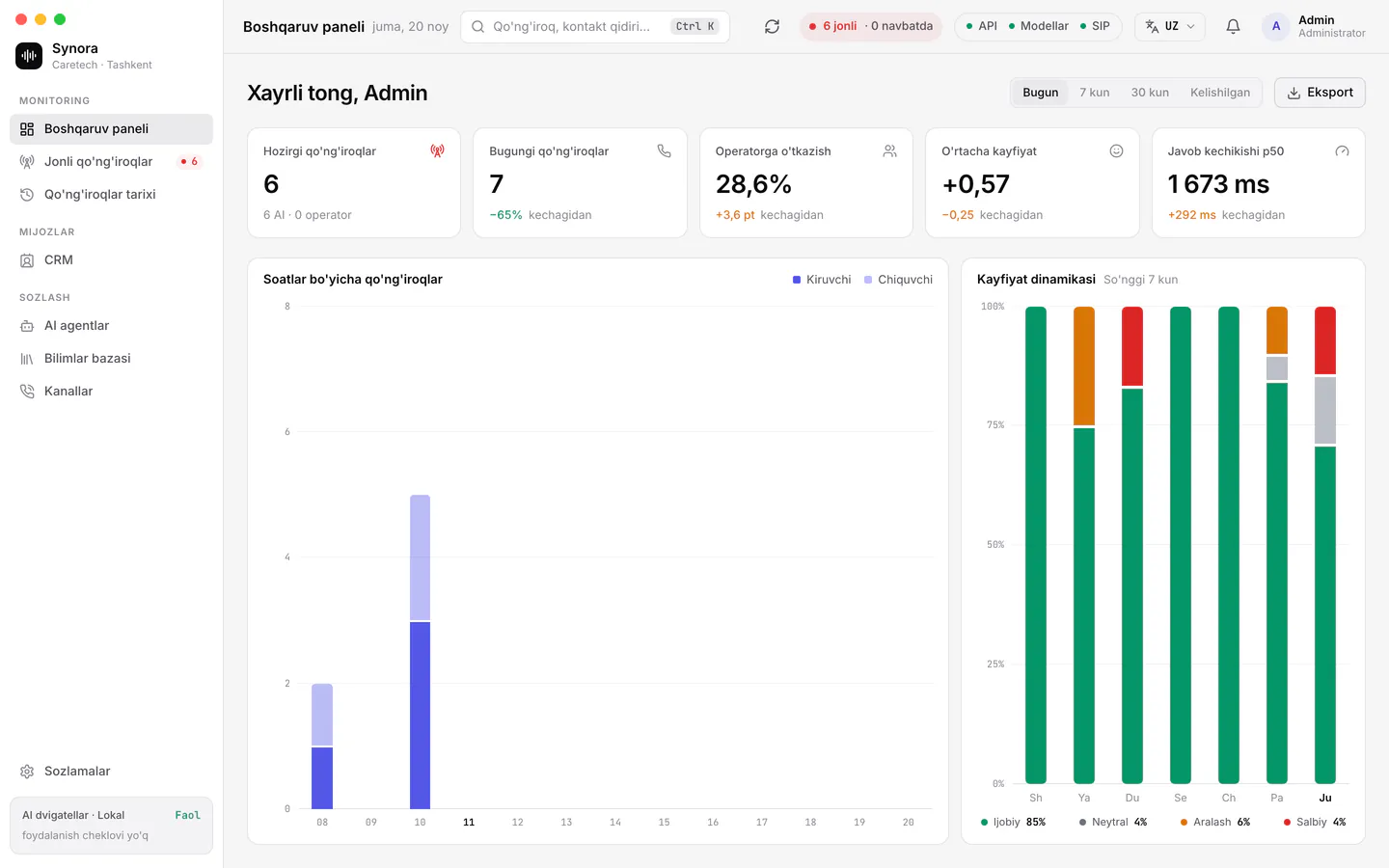
You can click the app’s own menu too
Everything stays inside your network
Speech recognition, the language model, speech synthesis and the agents run on this computer or on a Synora server in your network. Audio, transcripts and customer data are never sent to outside servers.
Calls
- Phone · SIP
- Web widget
Models · on the computer or a server
- Speech recognition
- Language model
- Speech synthesis
- AI agents
Data · kept only with you
- Recordings
- Transcripts
- Customers (CRM)
- Knowledge base
Outside AI services
Nothing is sent
- Paid once — no monthly fee
- No usage limits
- Full control over prompts and models
- We install and support it
Start from a template
No need to write an agent from scratch — pick the template that fits the job, then make its voice and instructions your own.
- Customer supportOrder status, returns, frequently asked questions
- Outbound salesQualifying leads, booking demos
- AppointmentsClinics, salons, services
- Payment remindersGentle collections, promises to pay
- NPS surveyFeedback after a call
- Delivery noticeConfirming when the courier arrives
Built for the whole team
Invite your staff by email and give each a role — everyone sees only what their job needs.
- AdministratorEverything, including billing, settings and users
- SupervisorLive monitor, all call history, editing agents
- OperatorLive calls, CRM, their own call history, knowledge base
- ViewerDashboard and call history, read-only
- Two-step sign-in and session timeouts
- Business hours — after them the agent answers and offers a callback
- Daily summary and weekly report by Telegram or email
How to get started
- 1
Download
Install Synora Desktop on macOS, Windows or Linux.
- 2
Set up the models
The models run on this computer or on a Synora server in your network — we set the server up for you.
Server requirements - 3
Launch an agent
Create an agent from a template, connect a knowledge base and put it on your website widget or a phone number.
Frequently asked questions
Which systems does it run on?
macOS, Windows and Linux — each has its own installer.
Does it need the internet?
No — the app, the models and the agents work offline. Audio, transcripts and customer data are never sent to outside servers.
Where do the models run?
On this computer itself, or on a separate Synora server in your network. The server requirements are on the On-premise page.
How do I put an agent on my website?
In the app’s Channels → Web widget, pick the agent, the button text and its color, then paste one <script> tag before your site’s </body>. The widget only works on the domains you allow.
Can I connect my phone number?
Yes — under Channels → Phone numbers you connect it over SIP. The agent answers incoming calls and can call customers itself.